




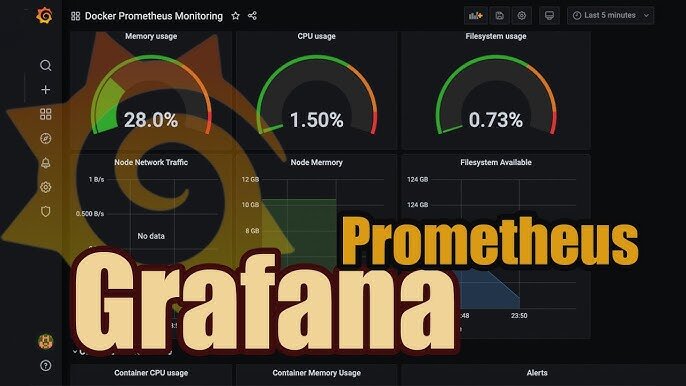

«Как вы узнали о проблеме?» — «Пожаловались пользователи» — так работать нельзя. Правильный мониторинг означает, что вы знаете о проблеме раньше, чем её заметят пользователи. Эта статья о построении полноценного стека мониторинга для Linux-инфраструктуры: от сбора метрик до умных алертов.
Архитектура: что и зачем
Серверы                   Мониторинг             Визуализация
[node_exporter] ──────► [Prometheus] ──────► [Grafana]
[php-fpm_exporter]          │                    │
[mysql_exporter]            │ алерты         дашборды
[nginx_exporter]            ▼
[redis_exporter]       [Alertmanager]
                            │
                    [Email/Slack/PagerDuty]
Prometheus — это time-series база данных с pull-моделью сбора данных. Exporters на серверах открывают HTTP endpoint с метриками в формате Prometheus, и сервер Prometheus их периодически «скрейпит».
Node Exporter: метрики операционной системы
Установка
# Через пакет
apt install prometheus-node-exporter  # Ubuntu
# или скачиваем бинарник

# Проверяем endpoint
curl http://localhost:9100/metrics | head -50
Что собирает node_exporter
# CPU
node_cpu_seconds_total{cpu="0",mode="idle"}
node_cpu_seconds_total{cpu="0",mode="user"}
node_cpu_seconds_total{cpu="0",mode="system"}
node_cpu_seconds_total{cpu="0",mode="iowait"}

# Память
node_memory_MemTotal_bytes
node_memory_MemAvailable_bytes
node_memory_SwapUsed_bytes

# Диски
node_disk_read_bytes_total{device="sda"}
node_disk_written_bytes_total{device="sda"}
node_disk_io_time_seconds_total{device="sda"}

# Сеть
node_network_receive_bytes_total{device="eth0"}
node_network_transmit_bytes_total{device="eth0"}
node_network_receive_errs_total{device="eth0"}

# Файловая система
node_filesystem_avail_bytes{mountpoint="/"}
node_filesystem_size_bytes{mountpoint="/"}

# Нагрузка
node_load1   # средняя нагрузка за 1 минуту
node_load5
node_load15
Кастомные метрики через textfile collector
# Создаём директорию для textfile
mkdir -p /var/lib/node_exporter/textfile_collector

# Запускаем node_exporter с collector
/usr/bin/prometheus-node-exporter \
    --collector.textfile.directory=/var/lib/node_exporter/textfile_collector

# Скрипт для метрик приложения (запускаем по cron)
cat > /usr/local/bin/app-metrics.sh << 'EOF'
#!/bin/bash

METRICS_FILE="/var/lib/node_exporter/textfile_collector/app.prom"

# Количество PHP-FPM процессов
fpm_workers=$(ps aux | grep php-fpm | grep -v grep | wc -l)

# Количество MySQL соединений
mysql_connections=$(mysql -u monitoring -ppassword -e "SHOW STATUS LIKE 'Threads_connected';" | awk 'NR==2{print $2}')

# Место в очереди Redis
redis_queue_size=$(redis-cli llen myapp:jobs)

cat > "$METRICS_FILE" << METRICS
# HELP myapp_fpm_workers Number of PHP-FPM worker processes
# TYPE myapp_fpm_workers gauge
myapp_fpm_workers $fpm_workers

# HELP myapp_mysql_connections Active MySQL connections
# TYPE myapp_mysql_connections gauge
myapp_mysql_connections $mysql_connections

# HELP myapp_queue_size Redis job queue size
# TYPE myapp_queue_size gauge
myapp_queue_size $redis_queue_size
METRICS
EOF
chmod +x /usr/local/bin/app-metrics.sh

# Добавляем в cron (каждую минуту)
echo "* * * * * root /usr/local/bin/app-metrics.sh" > /etc/cron.d/app-metrics
Установка Prometheus
# Создаём пользователя
useradd --no-create-home --shell /bin/false prometheus

# Создаём директории
mkdir -p /etc/prometheus /var/lib/prometheus
chown prometheus:prometheus /var/lib/prometheus

# Скачиваем (проверьте актуальную версию)
cd /tmp
wget https://github.com/prometheus/prometheus/releases/download/v2.50.1/prometheus-2.50.1.linux-amd64.tar.gz
tar xvf prometheus-*.tar.gz
cp prometheus-*/prometheus /usr/local/bin/
cp prometheus-*/promtool /usr/local/bin/
cp -r prometheus-*/consoles /etc/prometheus/
cp -r prometheus-*/console_libraries /etc/prometheus/
chown prometheus:prometheus /usr/local/bin/prometheus /usr/local/bin/promtool
Конфигурация Prometheus
/etc/prometheus/prometheus.yml:
global:
  scrape_interval: 15s      # как часто собираем метрики
  evaluation_interval: 15s  # как часто оцениваем правила алертов
  scrape_timeout: 10s

# Правила алертов
rule_files:
  - /etc/prometheus/rules/*.yml

# Куда отправлять алерты
alerting:
  alertmanagers:
    - static_configs:
        - targets:
          - localhost:9093

# Источники метрик
scrape_configs:
  # Сам Prometheus
  - job_name: 'prometheus'
    static_configs:
      - targets: ['localhost:9090']

  # Node exporters — наши серверы
  - job_name: 'node'
    static_configs:
      - targets:
          - 'web01:9100'
          - 'web02:9100'
          - 'db01:9100'
    # Добавляем метки для группировки
    relabel_configs:
      - source_labels: [__address__]
        target_label: instance
    # Статические метки
    static_configs:
      - targets: ['web01:9100']
        labels:
          env: production
          role: web
      - targets: ['db01:9100']
        labels:
          env: production
          role: database

  # MySQL exporter
  - job_name: 'mysql'
    static_configs:
      - targets: ['localhost:9104']

  # Nginx exporter
  - job_name: 'nginx'
    static_configs:
      - targets: ['localhost:9113']

  # Redis exporter
  - job_name: 'redis'
    static_configs:
      - targets: ['localhost:9121']

  # PHP-FPM — через статус страницу
  - job_name: 'php-fpm'
    static_configs:
      - targets: ['localhost:9253']

  # Service discovery через файлы (удобно для динамической инфраструктуры)
  - job_name: 'dynamic-servers'
    file_sd_configs:
      - files:
          - /etc/prometheus/targets/*.yml
        refresh_interval: 30s
Systemd unit для Prometheus
[Unit]
Description=Prometheus Monitoring
Wants=network-online.target
After=network-online.target

[Service]
User=prometheus
Group=prometheus
Type=simple
ExecStart=/usr/local/bin/prometheus \
    --config.file=/etc/prometheus/prometheus.yml \
    --storage.tsdb.path=/var/lib/prometheus \
    --storage.tsdb.retention.time=30d \
    --storage.tsdb.retention.size=10GB \
    --web.enable-lifecycle \
    --web.enable-admin-api

Restart=on-failure
RestartSec=5s

[Install]
WantedBy=multi-user.target
PromQL: язык запросов
PromQL — мощный язык для работы с time-series. Основные паттерны:
# Мгновенные значения
node_memory_MemAvailable_bytes

# Использование памяти в %
(1 - (node_memory_MemAvailable_bytes / node_memory_MemTotal_bytes)) * 100

# CPU usage (rate нужен для счётчиков)
100 - (avg by (instance) (
    rate(node_cpu_seconds_total{mode="idle"}[5m])
) * 100)

# Disk I/O latency
rate(node_disk_io_time_seconds_total[5m])

# Свободное место на диске в %
(node_filesystem_avail_bytes / node_filesystem_size_bytes) * 100

# Количество TCP соединений по состоянию
node_netstat_Tcp_CurrEstab

# Nginx requests per second
rate(nginx_http_requests_total[5m])

# 95-й перцентиль времени ответа
histogram_quantile(0.95,
    rate(http_request_duration_seconds_bucket[5m])
)

# Агрегация по серверам
sum by (instance) (rate(node_cpu_seconds_total{mode!="idle"}[5m]))

# Топ 5 серверов по CPU
topk(5,
    100 - avg by (instance) (rate(node_cpu_seconds_total{mode="idle"}[5m])) * 100
)
Правила алертов
/etc/prometheus/rules/linux.yml:
groups:
  - name: linux_nodes
    rules:
      # CPU
      - alert: HighCPUUsage
        expr: |
          100 - (avg by (instance) (
            rate(node_cpu_seconds_total{mode="idle"}[5m])
          ) * 100) > 85
        for: 5m
        labels:
          severity: warning
        annotations:
          summary: "High CPU on {{ $labels.instance }}"
          description: "CPU usage is {{ printf \"%.1f\" $value }}% on {{ $labels.instance }}"

      - alert: CriticalCPUUsage
        expr: |
          100 - (avg by (instance) (
            rate(node_cpu_seconds_total{mode="idle"}[5m])
          ) * 100) > 95
        for: 2m
        labels:
          severity: critical
        annotations:
          summary: "CRITICAL CPU on {{ $labels.instance }}"

      # Память
      - alert: HighMemoryUsage
        expr: |
          (1 - (node_memory_MemAvailable_bytes / node_memory_MemTotal_bytes)) * 100 > 90
        for: 5m
        labels:
          severity: warning
        annotations:
          summary: "High memory on {{ $labels.instance }}"
          description: "Memory usage is {{ printf \"%.1f\" $value }}%"

      # Диск
      - alert: DiskSpaceLow
        expr: |
          (node_filesystem_avail_bytes{mountpoint="/"} / node_filesystem_size_bytes{mountpoint="/"}) * 100 < 15
        for: 2m
        labels:
          severity: warning
        annotations:
          summary: "Low disk space on {{ $labels.instance }}"
          description: "Only {{ printf \"%.1f\" $value }}% disk space remaining"

      - alert: DiskSpaceCritical
        expr: |
          (node_filesystem_avail_bytes{mountpoint="/"} / node_filesystem_size_bytes{mountpoint="/"}) * 100 < 5
        for: 1m
        labels:
          severity: critical
        annotations:
          summary: "CRITICAL: Disk almost full on {{ $labels.instance }}"

      # Инод
      - alert: DiskInodesLow
        expr: |
          (node_filesystem_files_free / node_filesystem_files) * 100 < 10
        for: 2m
        labels:
          severity: warning

      # Сервер недоступен
      - alert: InstanceDown
        expr: up == 0
        for: 1m
        labels:
          severity: critical
        annotations:
          summary: "Instance {{ $labels.instance }} is DOWN"

      # Load average
      - alert: HighLoadAverage
        expr: node_load1 > (count by (instance)(node_cpu_seconds_total{mode="idle"}) * 2)
        for: 5m
        labels:
          severity: warning

      # OOM Killer
      - alert: OOMKillerActive
        expr: increase(node_vmstat_oom_kill[5m]) > 0
        labels:
          severity: critical
        annotations:
          summary: "OOM Killer active on {{ $labels.instance }}"

      # Много TIME_WAIT соединений
      - alert: HighTimeWaitConnections
        expr: node_sockstat_TCP_tw > 10000
        for: 5m
        labels:
          severity: warning
Alertmanager: умная маршрутизация уведомлений
/etc/alertmanager/alertmanager.yml:
global:
  smtp_smarthost: 'smtp.gmail.com:587'
  smtp_from: 'alerts@example.com'
  smtp_auth_username: 'alerts@example.com'
  smtp_auth_password: 'password'

  slack_api_url: 'https://hooks.slack.com/services/YOUR/SLACK/WEBHOOK'

# Шаблоны уведомлений
templates:
  - /etc/alertmanager/templates/*.tmpl

# Маршрутизация
route:
  group_by: ['alertname', 'instance']
  group_wait: 30s       # ждём перед первым уведомлением
  group_interval: 5m    # интервал между повторными уведомлениями группы
  repeat_interval: 4h   # когда повторить если не решено

  receiver: 'slack-warnings'

  routes:
    # Критические — немедленно в PagerDuty
    - match:
        severity: critical
      receiver: 'pagerduty-critical'
      group_wait: 0s
      repeat_interval: 1h

    # Ночью тишина для warnings
    - match:
        severity: warning
      receiver: 'slack-warnings'
      mute_time_intervals:
        - nights-and-weekends

    # Отдельный канал для базы данных
    - match:
        job: mysql
      receiver: 'slack-dba-channel'

# Время тишины
time_intervals:
  - name: nights-and-weekends
    time_intervals:
      - weekdays: [saturday, sunday]
      - times:
          - start_time: '22:00'
            end_time: '08:00'

# Получатели
receivers:
  - name: 'slack-warnings'
    slack_configs:
      - channel: '#alerts'
        icon_emoji: ':warning:'
        title: '{{ .GroupLabels.alertname }}'
        text: |
          {{ range .Alerts }}
          *Instance:* {{ .Labels.instance }}
          *Description:* {{ .Annotations.description }}
          {{ end }}
        send_resolved: true

  - name: 'pagerduty-critical'
    pagerduty_configs:
      - service_key: 'YOUR_PAGERDUTY_KEY'

  - name: 'slack-dba-channel'
    slack_configs:
      - channel: '#dba-alerts'
Grafana: визуализация
# Установка
apt-get install -y apt-transport-https software-properties-common
wget -q -O - https://packages.grafana.com/gpg.key | gpg --dearmor | \
    tee /usr/share/keyrings/grafana.gpg > /dev/null
echo "deb [signed-by=/usr/share/keyrings/grafana.gpg] \
    https://packages.grafana.com/oss/deb stable main" | \
    tee /etc/apt/sources.list.d/grafana.list
apt-get update && apt-get install grafana -y
systemctl enable --now grafana-server
Provisioning дашбордов через код
/etc/grafana/provisioning/datasources/prometheus.yaml:
apiVersion: 1
datasources:
  - name: Prometheus
    type: prometheus
    access: proxy
    url: http://localhost:9090
    isDefault: true
    jsonData:
      timeInterval: "15s"
/etc/grafana/provisioning/dashboards/default.yaml:
apiVersion: 1
providers:
  - name: default
    orgId: 1
    folder: ''
    type: file
    disableDeletion: false
    updateIntervalSeconds: 30
    options:
      path: /var/lib/grafana/dashboards
Готовые дашборды
На grafana.com/dashboards есть тысячи готовых дашбордов. Популярные ID для импорта:
1860— Node Exporter Full7362— MySQL Overview763— Redis Dashboard12708— PHP-FPM Dashboard11074— Node Exporter for Prometheus
blackbox_exporter: мониторинг снаружи
Для мониторинга HTTP, TCP, DNS, ICMP с внешней точки зрения:
# /etc/blackbox_exporter/config.yml
modules:
  http_2xx:
    prober: http
    timeout: 5s
    http:
      valid_http_versions: ["HTTP/1.1", "HTTP/2.0"]
      valid_status_codes: []  # 2xx
      follow_redirects: true
      tls_config:
        insecure_skip_verify: false

  http_post_2xx:
    prober: http
    http:
      method: POST
      headers:
        Content-Type: application/json
      body: '{"probe": "check"}'

  tcp_connect:
    prober: tcp
    timeout: 5s

  ssl_expiry:
    prober: http
    timeout: 5s
    http:
      fail_if_ssl: false
      fail_if_not_ssl: true
      tls_config:
        insecure_skip_verify: false
В prometheus.yml добавляем:
- job_name: 'blackbox'
  metrics_path: /probe
  params:
    module: [http_2xx]
  static_configs:
    - targets:
        - https://myapp.example.com/health
        - https://api.example.com/status
  relabel_configs:
    - source_labels: [__address__]
      target_label: __param_target
    - source_labels: [__param_target]
      target_label: instance
    - target_label: __address__
      replacement: localhost:9115

# Алерт на SSL
- alert: SSLCertExpiringSoon
  expr: probe_ssl_earliest_cert_expiry - time() < 86400 * 30
  labels:
    severity: warning
  annotations:
    summary: "SSL cert expires in {{ $value | humanizeDuration }}"
Правильный мониторинг — это инвестиция, которая окупается при первом же инциденте, когда вы знаете о проблеме за 10 минут до того, как позвонят пользователи. Начните с node_exporter и базовых алертов, постепенно добавляйте экспортеры для ваших сервисов.
Create an account or sign in to leave a review
There are no reviews to display.