



Linux (GNU) OS Articles
This category contains articles dedicated to the Linux (GNU) operating system. The materials cover system boot processes, kernel internals, service management, administration, architecture, security, and practical aspects of using Linux in both server and desktop environments.
9 articles in this category
-
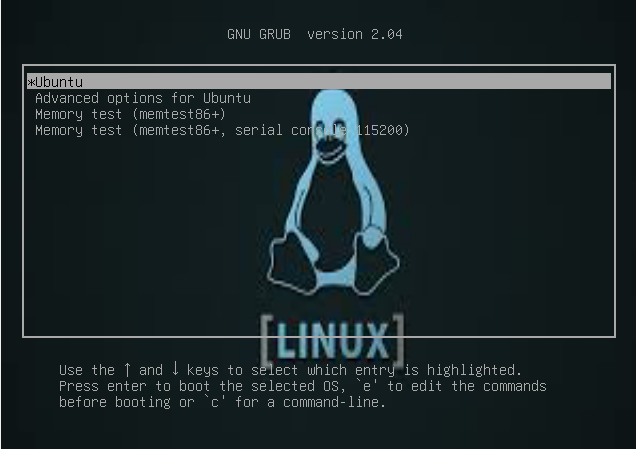
Процесс загрузки Linux: подробный разбор по этапам Загрузка операционной системы Linux — это многоэтапный процесс, в ходе которого система проходит путь от включения питания до запуска пользовательской среды. Каждый этап выполняет строго определённую функцию и критически важен для корректной и стабильной работы ОС. Ниже подробно рассмотрены все ключевые стадии загрузки Linux в правильной последовательности. 1. Включение питания и инициализация BIOS / UEFI Процесс загрузки начинается в момент под
-
Введение Администратор Linux-систем отвечает за поддержание стабильной работы программного обеспечения, мониторинг состояния системы, управление аппаратными ресурсами и резервное копирование. В этой статье мы рассмотрим основные команды и принципы работы системного администратора, а также приведём практические примеры, которые помогут новичкам освоить базовое администрирование Linux. Базовые настройки Linux Установка имени хоста Чтобы изменить имя компьютера (hostname), откройте терминал и выпол
-
Когда вы разворачиваете новый Linux-сервер, он похож на только что купленный смартфон — всё работает из коробки, но настройки безопасности далеки от идеала. SSH открыт для всего мира, root логинится напрямую, лишние сервисы весело крутятся в фоне. Эта статья — пошаговый гайд по hardening'у: от первого входа до полноценно защищённого продакшн-сервера. Шаг 1. Первый вход и базовая гигиена Обновление системы — это не опционально Первое, что делаем после подключения: apt update && apt upgrad
-
Сервер работает, но медленно. Страницы грузятся с задержкой, база данных тормозит, под нагрузкой всё падает. Прежде чем покупать новое железо или мигрировать на более дорогой тариф — убедитесь, что вы используете текущее на 100%. Эта статья о том, как профилировать, диагностировать и оптимизировать Linux-сервер под реальную нагрузку. Методология: сначала измеряем, потом меняем Главная ошибка при оптимизации — начинать с изменений без понимания проблемы. «Давайте увеличим swap» или «добавим RAM»
-
Systemd — это уже не просто init-система. Это целая экосистема для управления сервисами, логами, сетью, таймерами, точками монтирования и многим другим. Большинство администраторов использует 20% его возможностей, не подозревая об остальных 80%. Эта статья закроет пробелы. Архитектура systemd: что за чем стоит systemd ├── systemd-journald — централизованное логирование ├── systemd-networkd — управление сетью ├── systemd-resolved — DNS resolver ├── systemd-timesyncd — синхронизация времени
-
Сети в Linux: от основ до продвинутой диагностики ip и iproute2: современная работа с сетью Команда ifconfig устарела. Всё что нужно — в пакете iproute2: # Интерфейсы и адреса ip addr show ip addr show eth0 ip -4 addr # только IPv4 ip -6 addr # только IPv6 # Добавить/удалить IP ip addr add 192.168.1.100/24 dev eth0 ip addr del 192.168.1.100/24 dev eth0 # Маршруты ip route show ip route add default via 192.168.1.1 ip route add 10.0.0.0/8 via 10.100.0.1 dev eth1 ip route del 10.0.0.0/8 # ARP
-
Батя всех метрик - Что такое Load Average (LA) в Linux: как считается и что на самом деле показывает
Во время технического собеседования в крупную компанию мне задали простой вопрос: что такое Load Average? Формально ответить несложно — это «средняя загрузка системы за 1, 5 и 15 минут». Но если копнуть глубже, возникает ряд неудобных вопросов: Что именно усредняется? С какой частотой происходит измерение? Какие процессы считаются «ожидающими ресурсы»? Почему при кратковременных пиках мы не видим резких скачков? Почему Load Average = 1 соответствует 100% загрузке одноядерной системы? Если в -
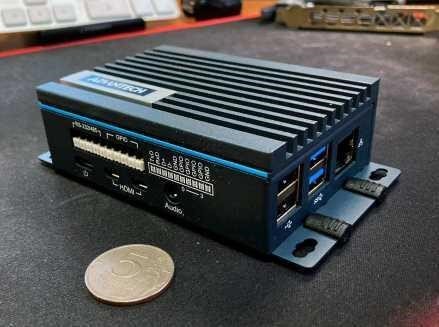
Когда Linux вместо микроконтроллера Выбор между голым МК (Arduino/STM32) и Linux-системой (Raspberry Pi/промышленный ПК) — одно из ключевых архитектурных решений. Linux выигрывает когда нужно: Сложные сетевые протоколы (TCP/IP стек, TLS, MQTT, OPC UA) Работа с файлами: логирование, конфигурация, обновления ПО Высокоуровневые вычисления: Python/NumPy, ML-инференс Несколько параллельных задач с разной логикой Веб-интерфейс или REST API Большой объём RAM/Flash (база данных, historian) Микроко
-
Введение: Linux в продакшене — это не просто установить и забыть Поставить Ubuntu, запустить приложение и назвать это "продакшеном" — рецепт будущей катастрофы. Настоящий production Linux — это слоёный пирог из правильного выбора дистрибутива, hardening-а, тюнинга ядра, настроенного мониторинга и чётких процедур обслуживания. Статья написана для тех, кто уже умеет работать с Linux и хочет понять почему нужно делать именно так, а не просто скопировать команды. Часть 1: Выбор дистрибутива Критерии